Digital ethnography
using social media +
web archives
Simon Elichko (they/he)
Social Sciences & Data Librarian
Persistence
Impermanence and using web archives
Personalization
Navigating the mirror effect
Awareness
Discovery approaches to get beyond the obvious
Access
Alternative ways to reach social media content
Consider the range of visibility levels:
- People + Platforms
- 1:1 communication: DMs, texts
- Small private groups (e.g. group chats)
- Closed groups (e.g. Discord servers, some Facebook groups)
- Open groups (e.g. Reddit)
- Posts + Stories
- Draft
- Private (e.g. YouTube video that isn't listed in search)
- Shared with a limited set of people (e.g. Friends Only on Instagram)
- Public
- Promoted
more private /
less widely shared
more public / shared more widely
Access
Some factors impacting your access to digital communications
- Personal connections and trust that you develop with interlocutors
- e.g. if someone chooses to share messages, screenshots, or posts with you that you couldn't have accessed with your own login/account
- e.g. if someone chooses to share messages, screenshots, or posts with you that you couldn't have accessed with your own login/account
- How platforms operate
- Choices about design, data privacy, ranking algorithms, advertising, API access
- Technical choices with social, economic, and political consequences and motivations
- Decision-makers include social media platforms, search engines, community moderators, participants, archivists (both formal and informal)
- How platforms & communities govern content and membership
- Content moderation decisions made by social media platforms (e.g. trust and safety teams within companies)
- Community moderators (e.g. in Reddit and Discord) establishing and implementing rules and practices for membership and participation
Access
Be open-minded about how your interlocutors may communicate online
- Avoid presuming that your patterns of digital engagement will hold for your interlocutors
- Particularly important when there are differences between you and your interlocutors' everyday lives and identities - e.g. age, geography, and socioeconomic status
- e.g. importance of Facebook groups in some communities (also see Pew Research Center)
Digital platforms come and go
- If you'd like to understand your interlocutors' lives in the past (whether it's 2 years ago or 20), expect that you'll need to look at different sites and forms of digital communication.
- e.g. if you wanted to understand more about the experiences of people who were aspiring to become parents in the 1990s-2000s, you'd want to look at message boards
That said, there are significant historical patterns that shape digital communication in the present
- Being aware of these historical patterns can help you imagine what you might look for
- e.g. the threaded discussion board format you know from Moodle originates at least as far back as the late 1970s (earliest mainstream expressions in Bulletin Board Systems and Usenet)
Awareness
Awareness
How to increase your awareness of potential digital communications:
- Revisit ethnographic notes and other observations, texts/DMs/emails with interlocutors, and existing ethnographic research with similar communities. Pay particular attention to where the digital comes up. What clues can you spot?
- If you have relationships with people who are more similar to your interlocutors and these are the kinds of questions they welcome from you, you might ask them about their digital communications.
- Certain patterns are generational and regional, they may or may not hold
- If nothing else, you might get ideas about questions to ask your interlocutors
- Reflect on your own everyday practices. "Journey map" a few of your everyday activities in your social world. Where does the digital come into play?
- e.g How did you and a friend decide to meet for lunch on Wednesday? (maybe this was fully in-person, maybe you needed to check calendars or send texts)
- e.g. How did you & other members of your student group organize and promote your most recent event? (google docs, group chat, in-person meeting looking at a spreadsheet)
Searches last 7 days of social media content across multiple platforms
Useful for identifying other keywords related to a particular term/concept
Need to create a free account and wait for approval before access
TalkWalker Social Search (free ed.)
Lets you look up keywords and find posts from different social media platforms. Quickly compare what's coming up.
- To view results from a platform, select logo
- To narrow down results by date, add:
- after:2026/03/12
- before:2025/01/15
Awareness
Access
Persistence
Impermanence and using web archives
Personalization
Navigating the mirror effect
Awareness
Discovery approaches to get beyond the obvious
Access
Alternative ways to reach social media content
Personalization-driven algorithms add complexity to ethnographic work
- Social media platforms aren't designed for research; they're designed to capture data and show content that makes people keep looking, commenting, and posting
- If you're trying to understand more about other people's lives and experiences, you don't necessarily want to see content tailored to you
Approaches to dealing with this
- Awareness: it's helpful to remember that the results you're seeing and the order they're shown in aren't inevitable
- Intentional use: recommendation algorithms can help you find more examples of a pattern
- Obfuscation: send many conflicting signals, use noise to hide (see Brunton and Nissenbaum)
- Go beyond default settings
- Go around the platform
- Create a research account
Personalization
Change your privacy, personalization, and targeted advertising settings
Can experiment on your own with these
Depending on the platform and your use patterns, you may (or may not!) notice differences within hours, days, weeks
Look out for changes in recommended content, auto-played videos, auto-complete suggestions, featured accounts
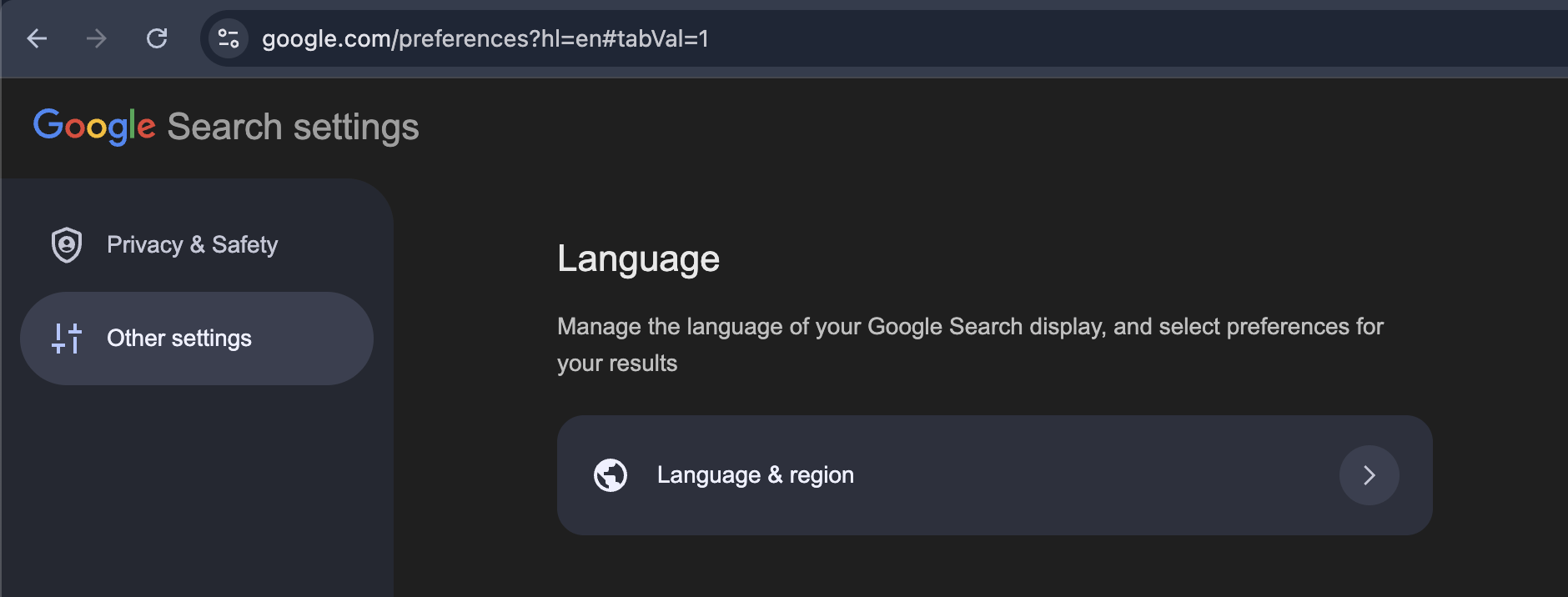
Change your region settings in Google and compare the results
- Go to Google and search: where to see penguins near me
- Change your Google Search settings to United Kingdom: google.com/preferences
Other Settings > Language & Region > Results Region > United Kingdom - Repeat the same exact search: where to see penguins near me
- Remember to change your Results Region back! :)
Personalization
Go beyond the default settings
Use Google (or another search engine) to find social media content from particular sites.
Basic set-up
How to search multiple platforms at once:
railroad strike site:instagram.com | site:tiktok.com | site:pinterest.com
railroad strike site:reddit.com | site:facebook.com
Tips
Put the URL immediately after site: (don’t leave spaces)
Leave spaces around the pipe | separating multiple sites.
Personalization
Get beyond the platform
Caveats
-
Only public social media content will come up in search engine results
-
Only a fraction of the public content will come up in search engine results - and we can't really know which fraction it is
-
Date labeling isn't always trustworthy, it can mean the original date, when it was updated or re-shared
-
user choices: e.g. posting an old video
-
technical factors: e.g. TikTok upload dates (link to Bellingcat tool)
-
comment dates are often a better clue for original posting date
-
-
Finding social media through a search engine gives you a somewhat abstract view, it's different from what most people are experiencing (including your interlocutors)
You can experiment with this on your own. Setting up a separate research account gives you more control over personalization and algorithmic recommendations.
- Open a private/incognito browser window.
- Create a new email (Tuta is a free option).
- Sign up for a social media account using the new email
- Start browsing and searching. Intentionally signal different preferences than you usually would.
- Observe what happens after you've been looking at certain kinds of content.
How does what you’re shown change in response? (e.g. recommendations, auto-play, auto-complete) - After observing what happens from just looking, start liking, commenting, or otherwise interacting with certain content. What do you notice now?
Setting up a research account
Personalization
Create a research account
"Real name" policies, age verification, ID card requirements can make this challenging
Research accounts can be important for safety when doing research in higher-risk contexts (good term to know: threat modeling)
How do you avoid signaling your own preferences?
- Pretend that you're a favorite fictional character
- Do you have a friend, nemesis, sibling, etc. who's really different from you?
- Look up "UX personas" and borrow ideas
Additional approaches beyond creating a research account:
- Send different technical signals: borrow a library laptop or iPad, go off-campus and use public wifi, use a different web browser
- Compare your results with another person's (make sure they feel comfortable with this!)
Complexities
Digital content and communications can be ephemeral
- Storage is expensive. Digital systems require maintenance. That doesn't just happen - it requires intentionality and money.
- Broken links happen. Content gets taken down intentionally or unintentionally. People delete their accounts. Social platforms go out of business.
Persistence
- Before you conclude that something is "impossible" to find, slow down and ask:
"Has it just become harder to reach?" - Broken links or interest in past web content --> check web archives
Persistence
Web Archives
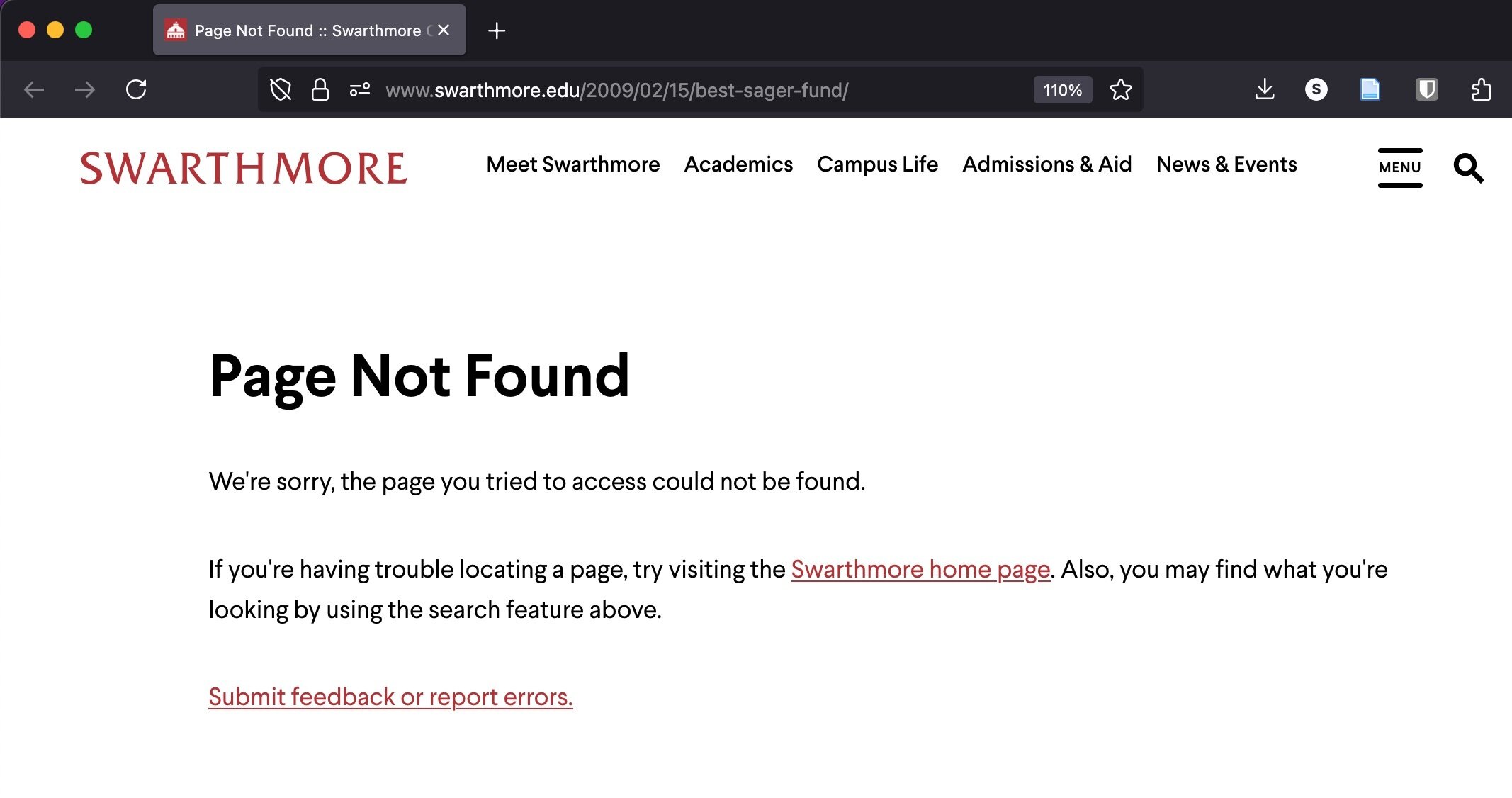
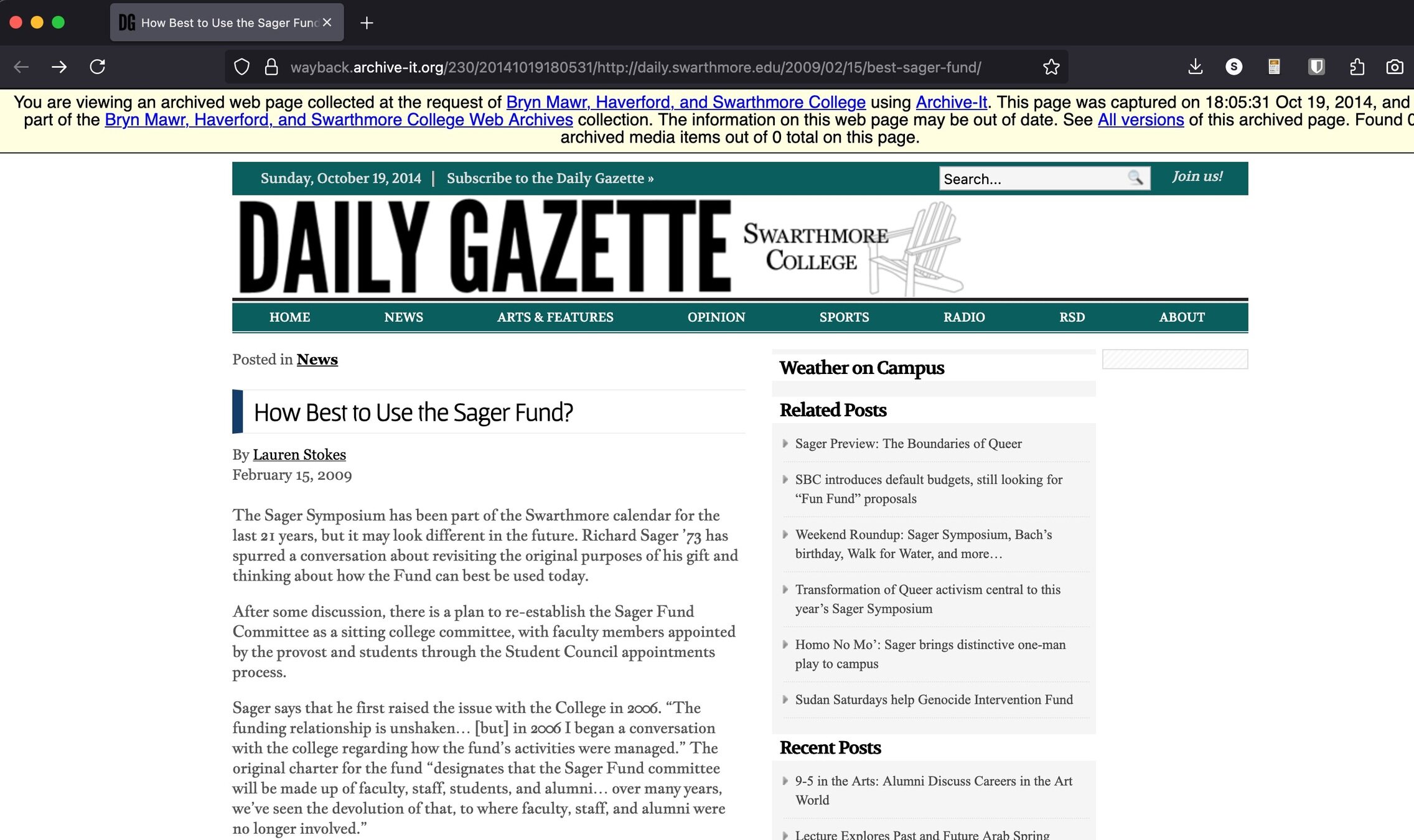
Snapshots of websites at particular points in time
Original link from 2009 (no longer available online):
Copy of this page saved in the TriCo Web Archive on 10/19/2014:
Persistence
part of Internet Archive, archive.org
Persistence
Impermanence and using web archives
Personalization
Navigating the mirror effect
Awareness
Discovery approaches to get beyond the obvious
Access
Alternative ways to reach social media content
Questions
Research Help & Advice
Make an appointment with Simon
Or email them: selichk1@swarthmore.edu
Quick questions, try the chat button in Tripod (librarians available M-F 1-4pm)
Cover image: Siobhan Flannery via Unsplash