Implementing User and Medicine Modules using Service Layer

Business Scenario
The objective of this lab is to implement User and Medicine module APIs using a structured service layer approach. The focus is on applying business logic, handling validations, and exposing REST APIs for frontend integration.
1
Service Layer Design
The service layer is responsible for:
-
Applying business logic
-
Validating input data
-
Preventing duplicate record
-
Managing update operations
-
Handling filtering logic

2
Functionalities
1. Add User
-
Ensure email is unique
-
Prevent duplicate registration
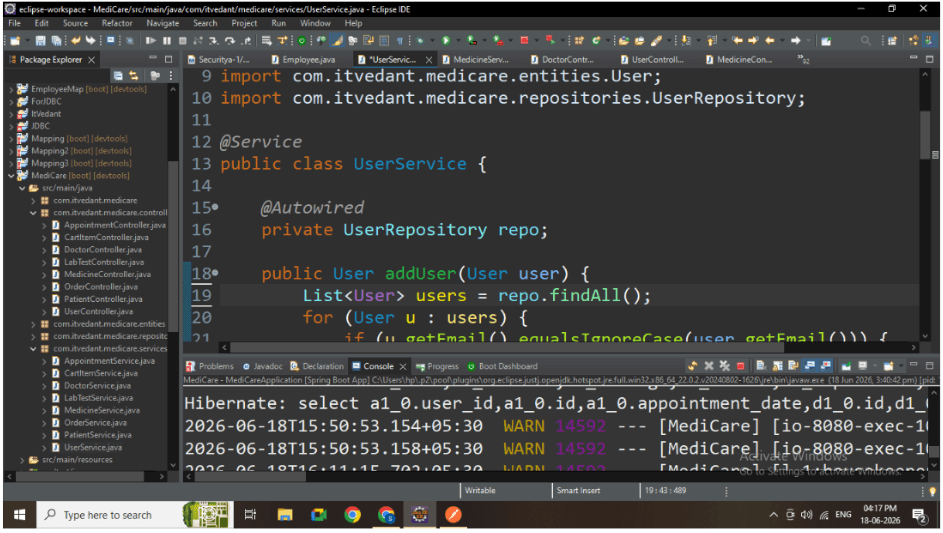
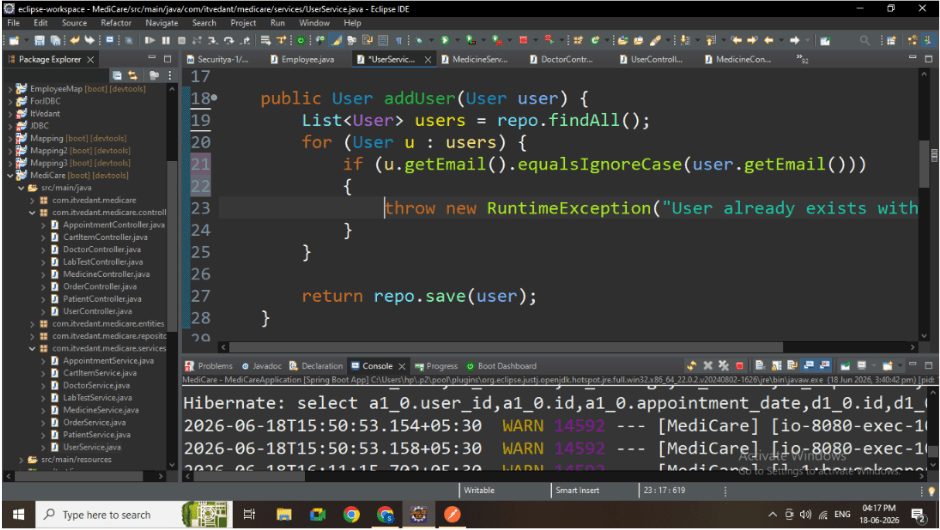
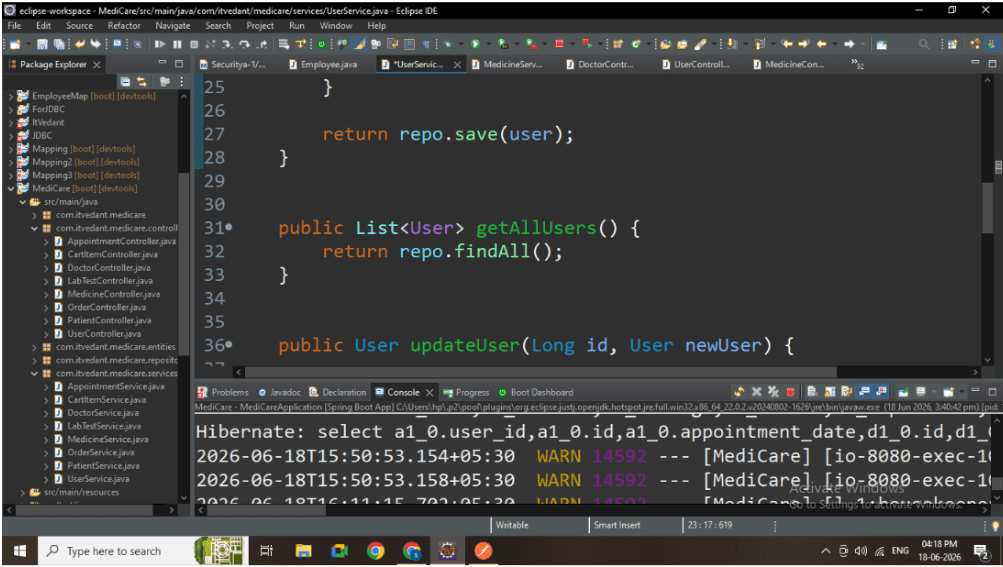
2. Get All Users
-
Fetch all users for UI display
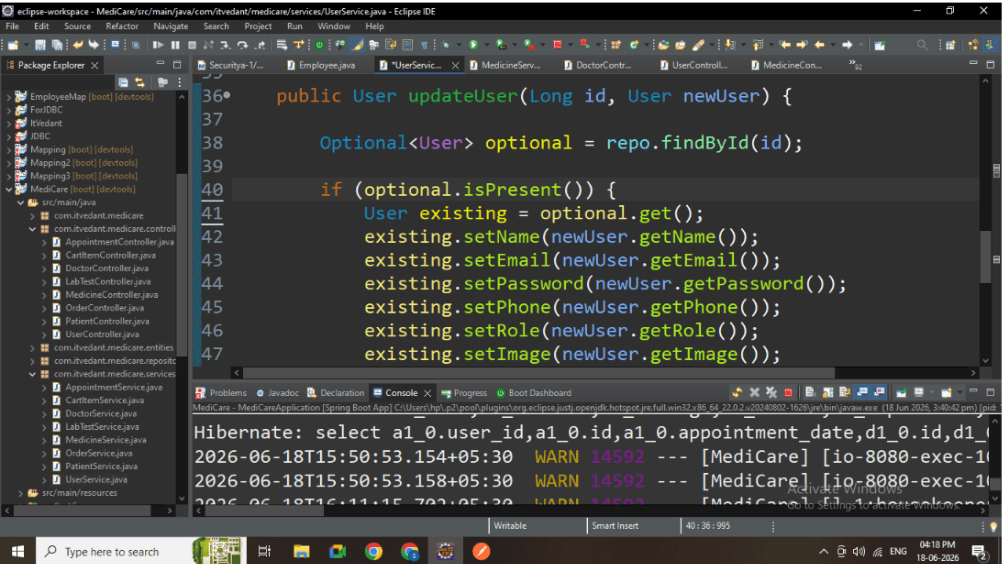
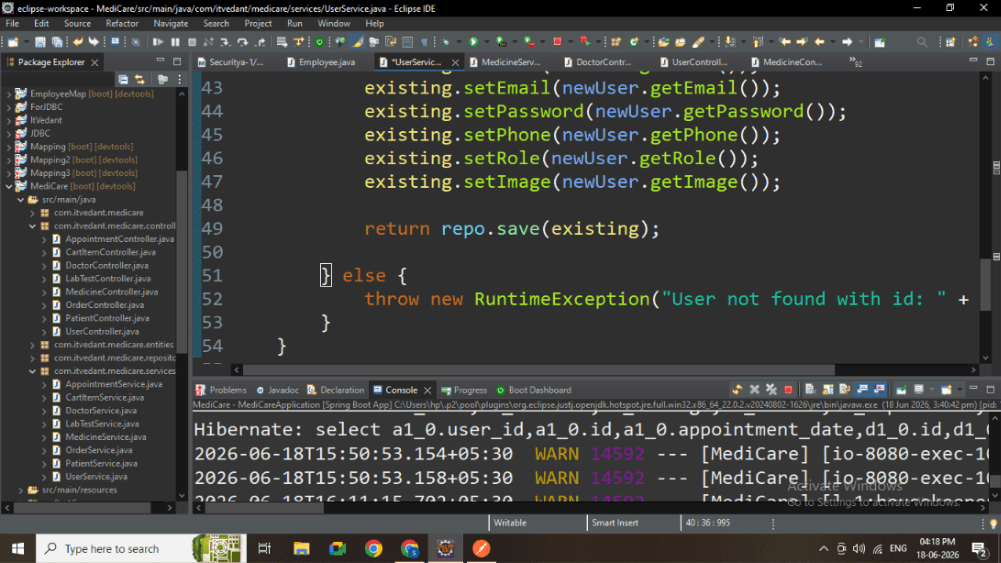
3. Update User
-
Update only if user exists
-
Modify all required fields
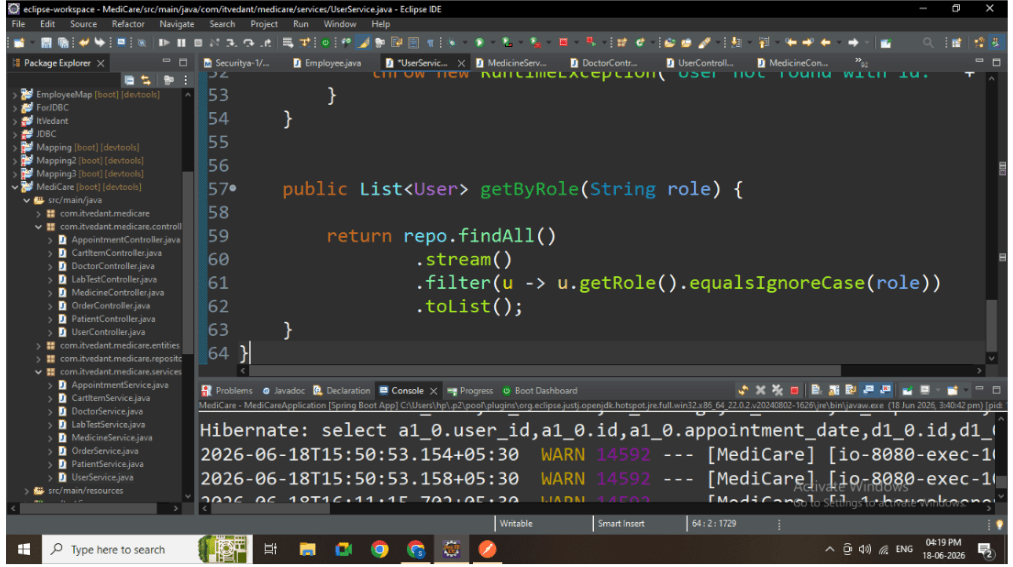
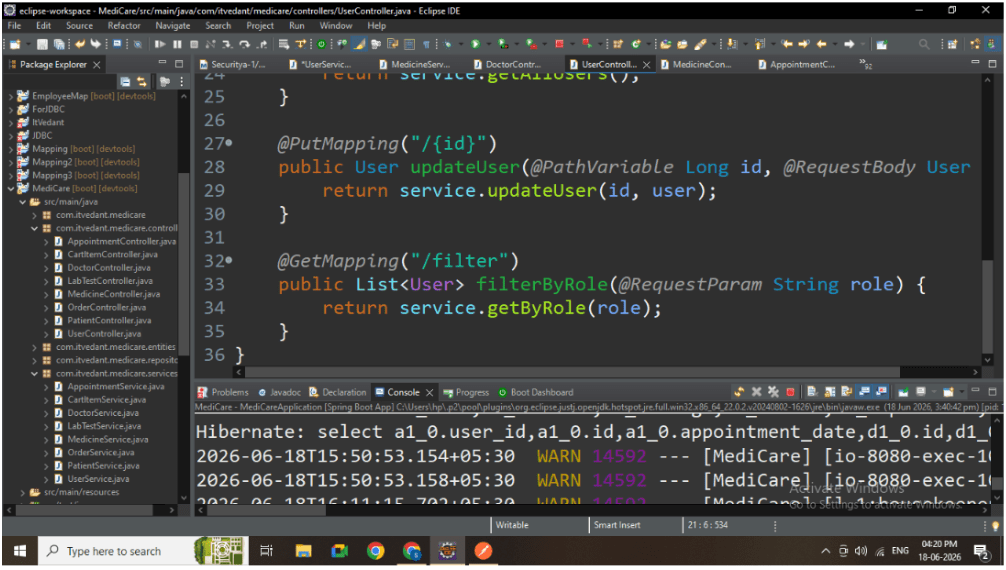
4. Filter Users by Role
-
Filter based on USER / ADMIN
-
Case-insensitive comparison
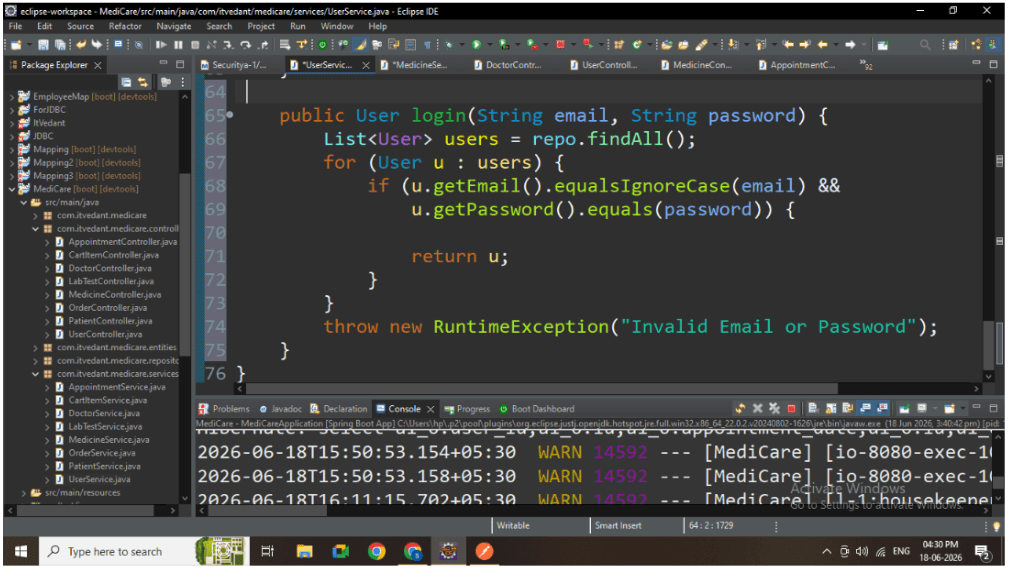
Step 3: User Business Logic
Duplicate Email Check
-
Prevents multiple accounts with same email
Safe Update
-
Ensures only valid user is updated
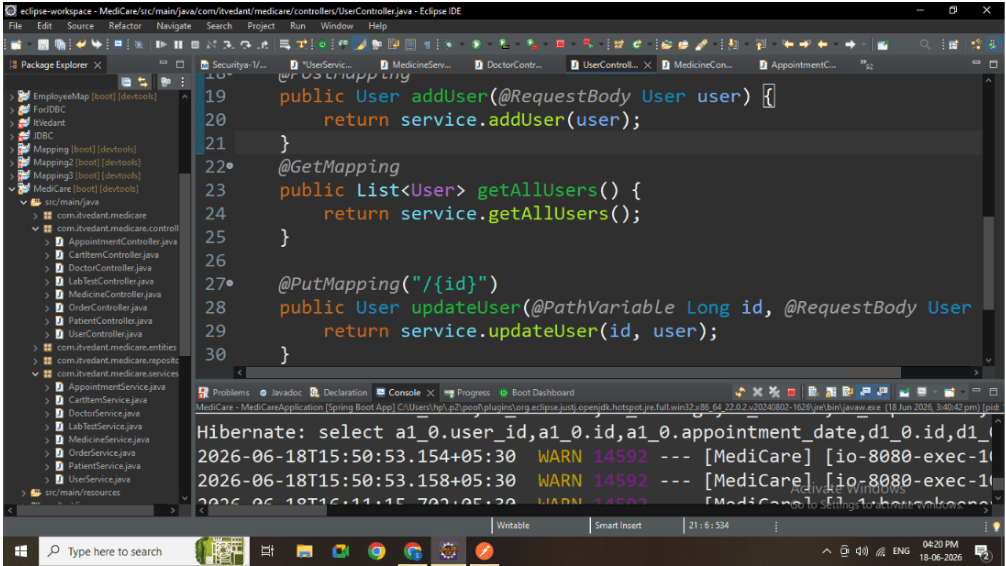
Role Filtering
-
Helps frontend implement role-based dashboards
4
Implement MedicineService
Functionalities
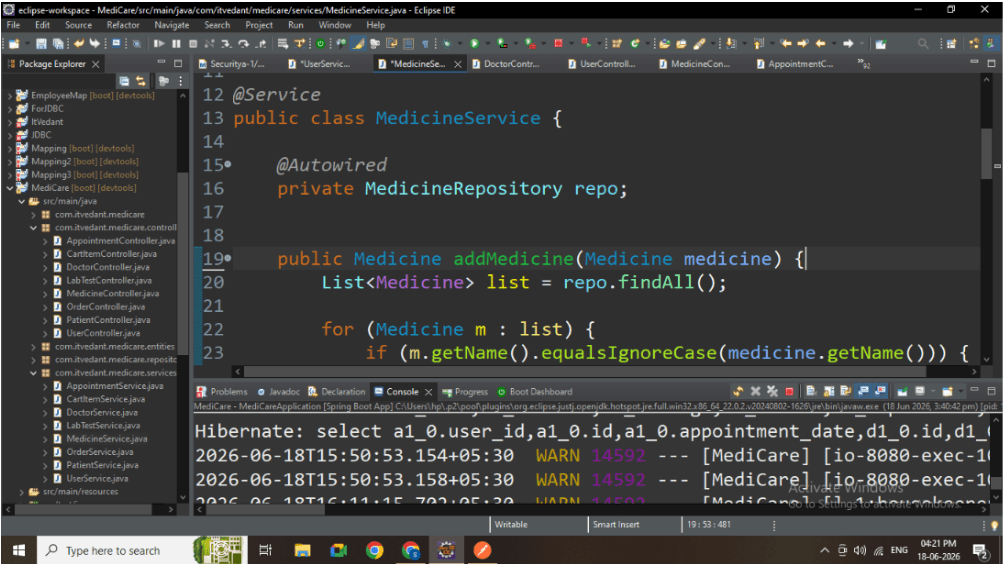
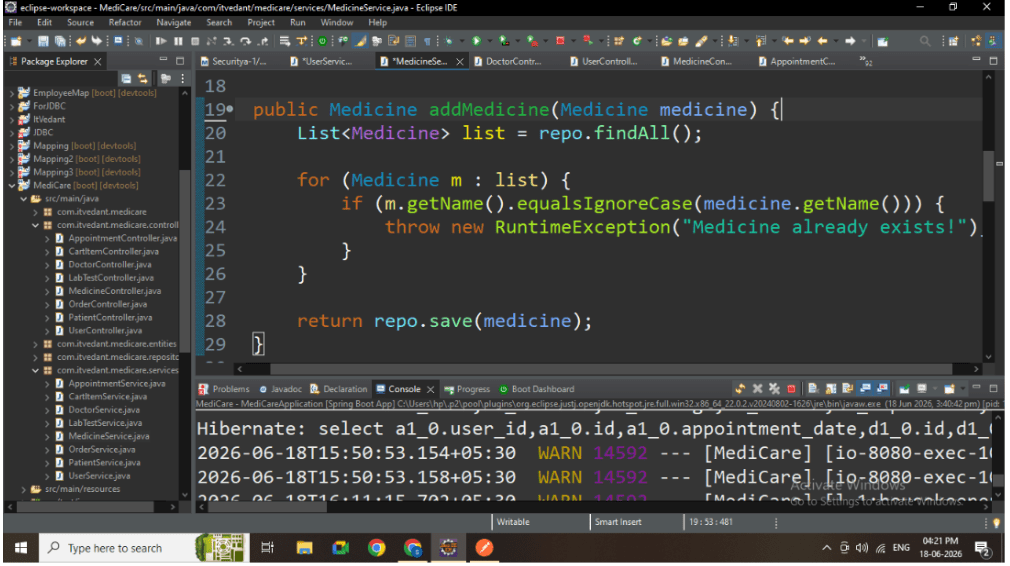
1. Add Medicine
-
Prevent duplicate medicine names
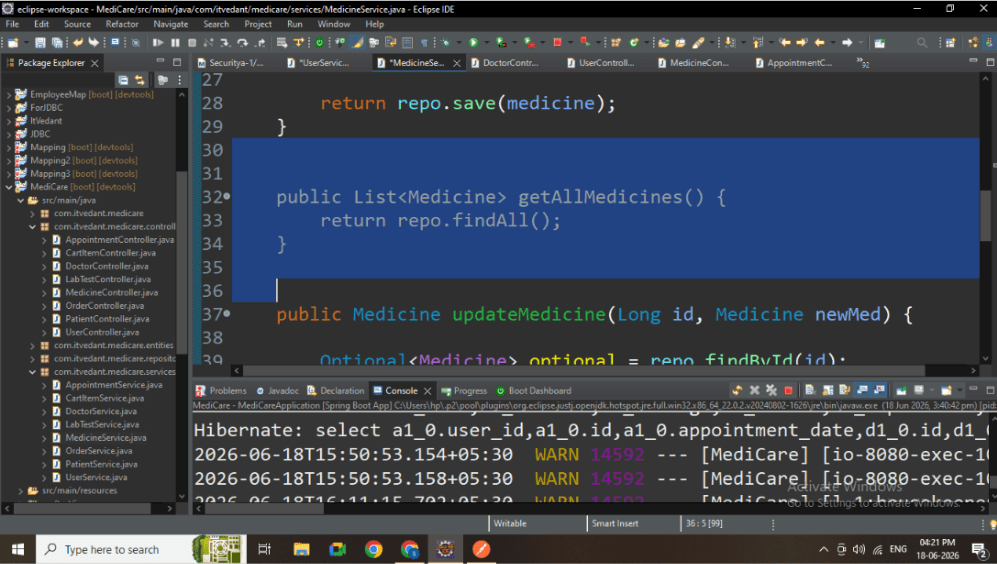
2. Get All Medicines
-
Used to display medicine store
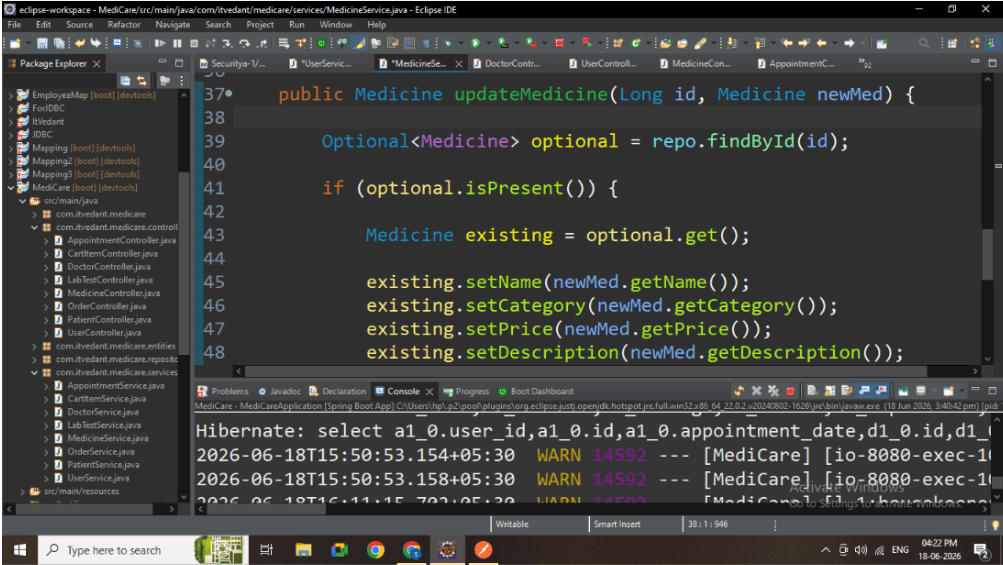
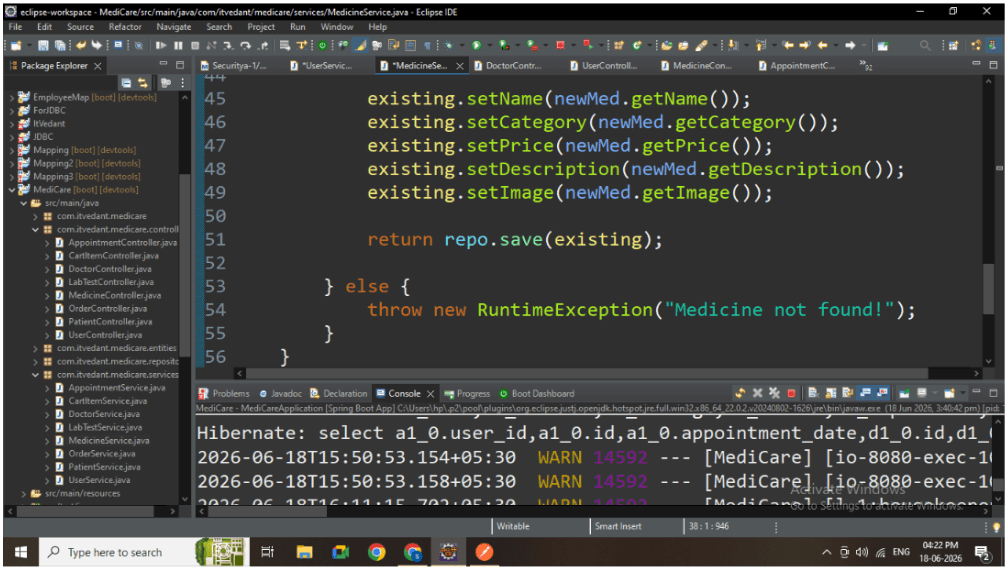
3. Update Medicine
-
Update only if medicine exists
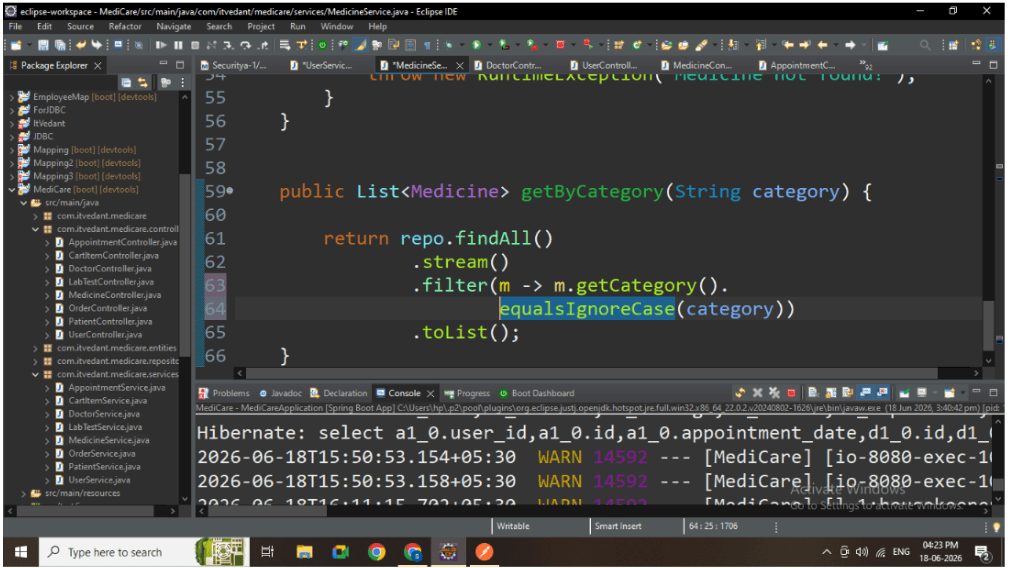
4. Filter by Category
-
Filter medicines like Pain Relief, Vitamins
5
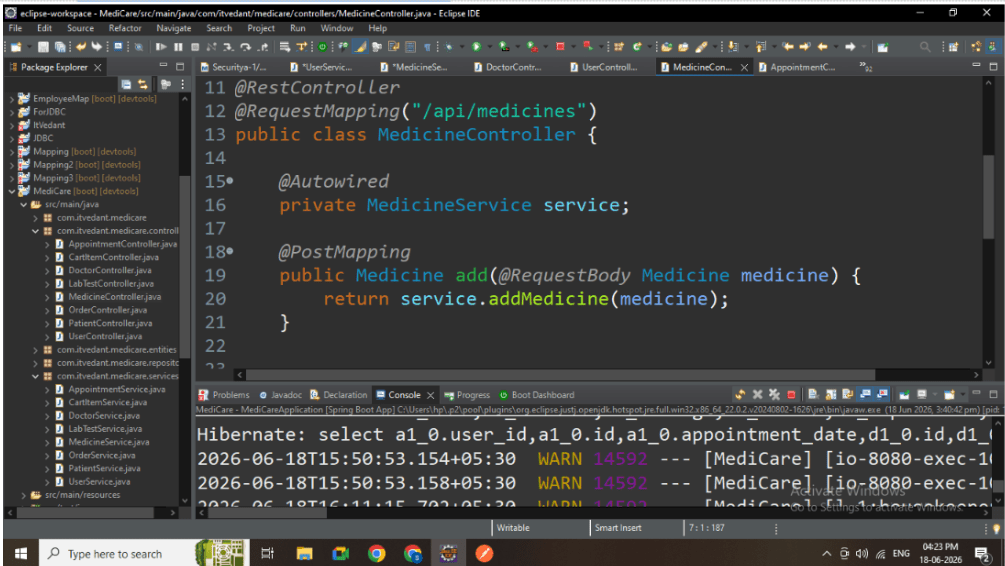
Medicine Business Logic
Duplicate Medicine Prevention
-
Avoids redundant medicine entries
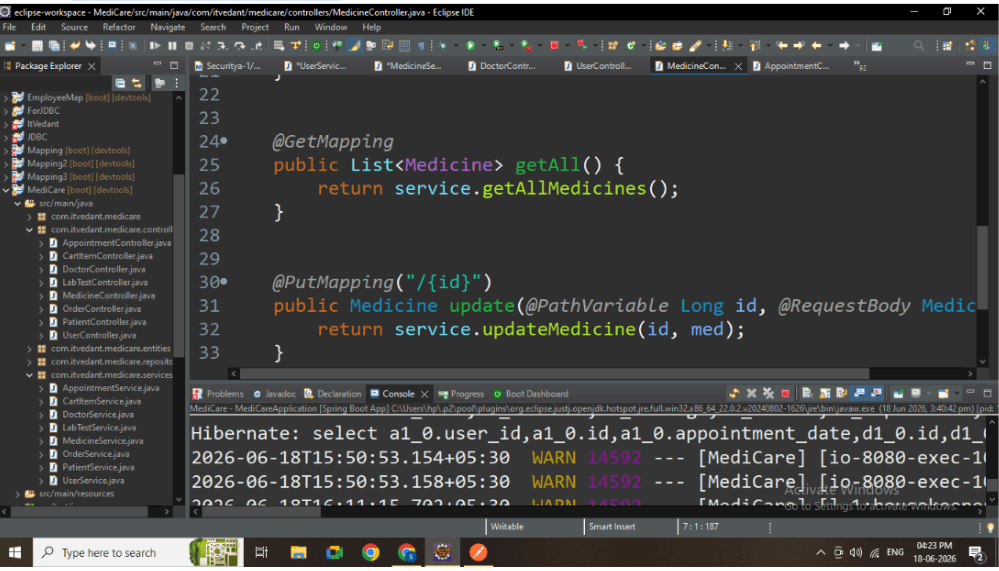
Safe Update Logic
-
Prevents invalid updates
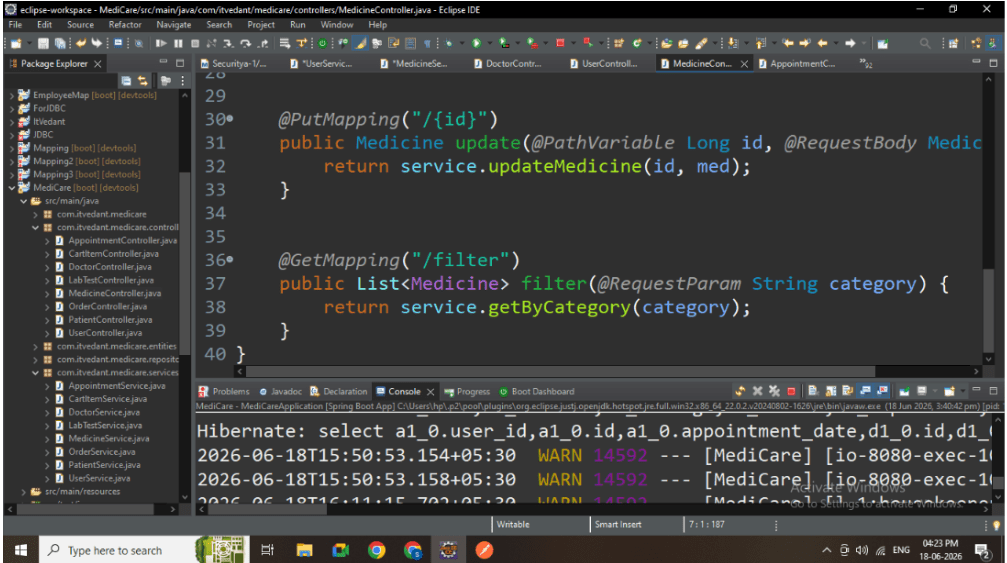
Category Filtering
-
Helps frontend implement search/filter features
6
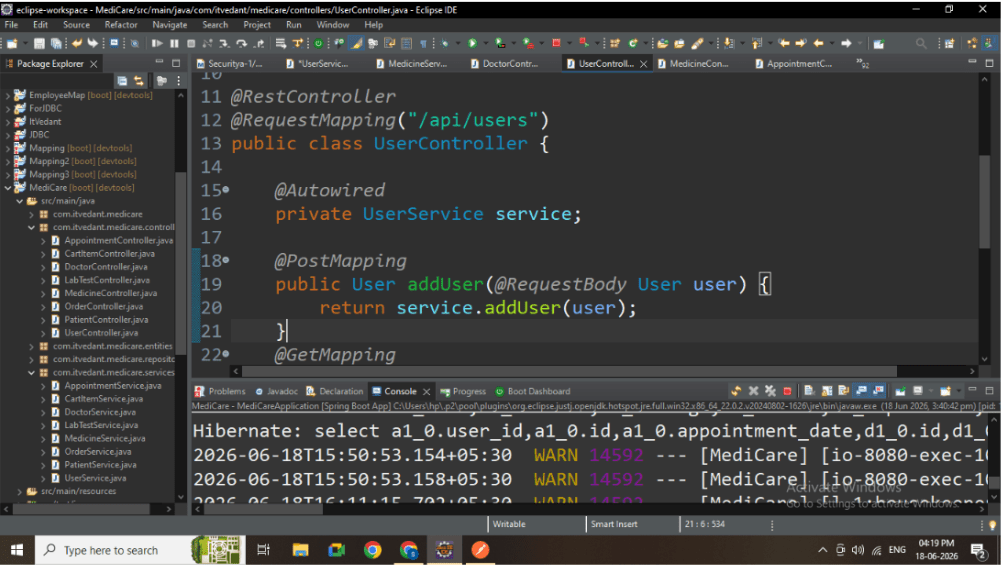
Controller Layer (User + Medicine)
Controller responsibilities:
-
Accept HTTP requests
-
Pass data to service layer
-
Return responses to frontend
7
API Endpoints
User APIs
-
POST /api/users → Add User
-
GET /api/users → Get All Users
-
PUT /api/users/{id} → Update User
-
GET /api/users/filter?role=USER → Filter Users
Medicine APIs
-
POST /api/medicines → Add Medicine
-
GET /api/medicines → Get All Medicines
-
PUT /api/medicines/{id} → Update Medicine
-
GET /api/medicines/filter?category=Pain Relief → Filter Medicines
8
Run Application
-
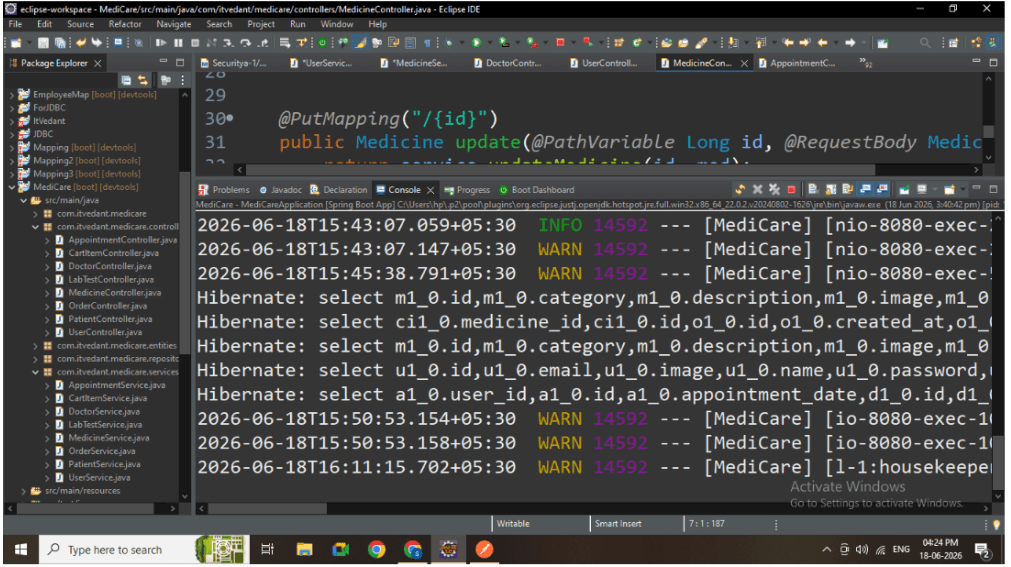
Start Spring Boot application
-
Verify APIs are running
-
Application running
9
Test APIs
Test all APIs:
User:
-
POST
-
GET
-
PUT
-
FILTER
Medicine:
-
POST
-
GET
-
PUT
-
FILTER
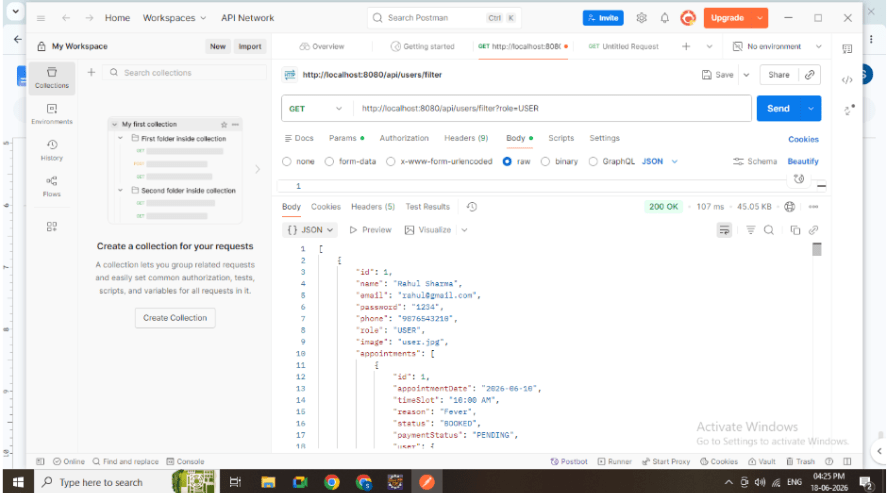
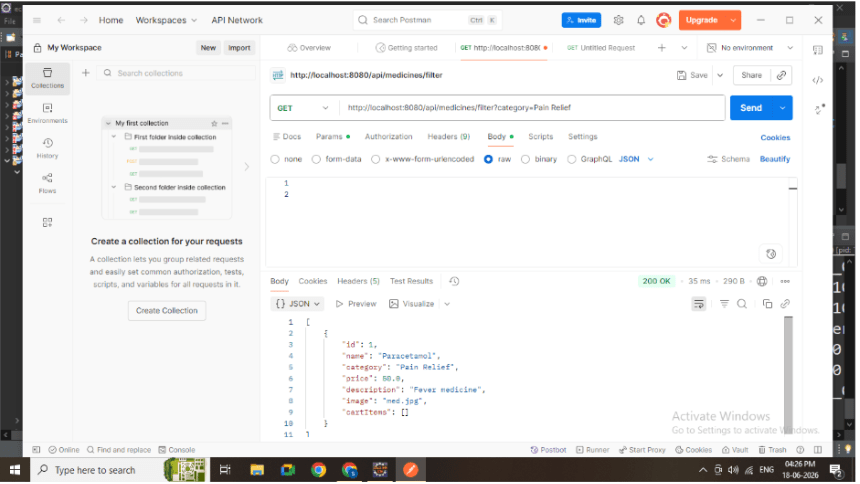
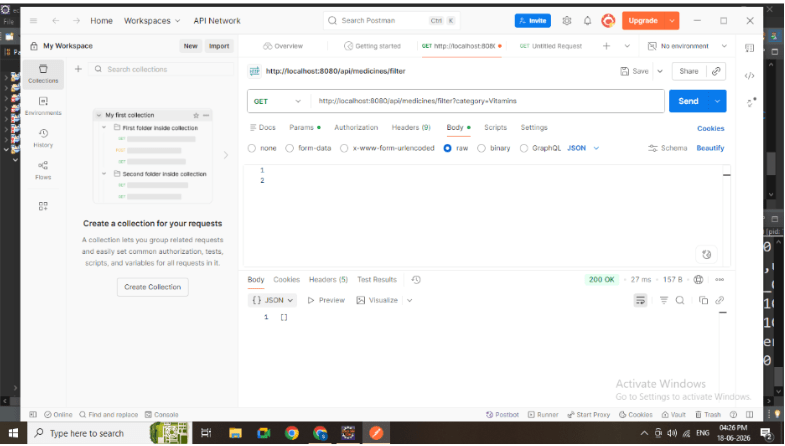
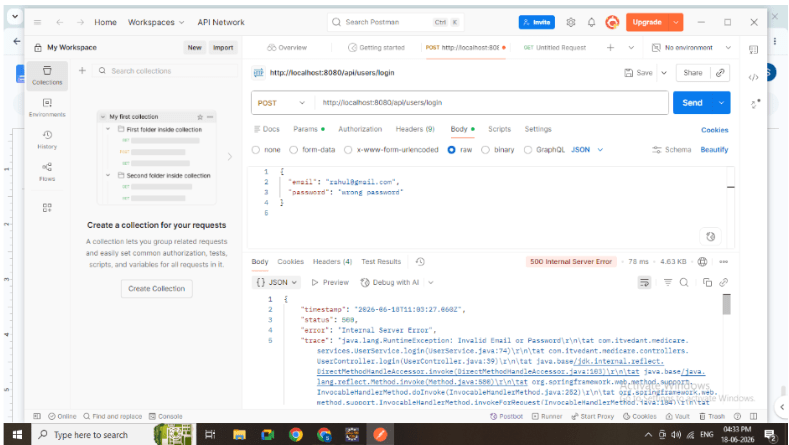
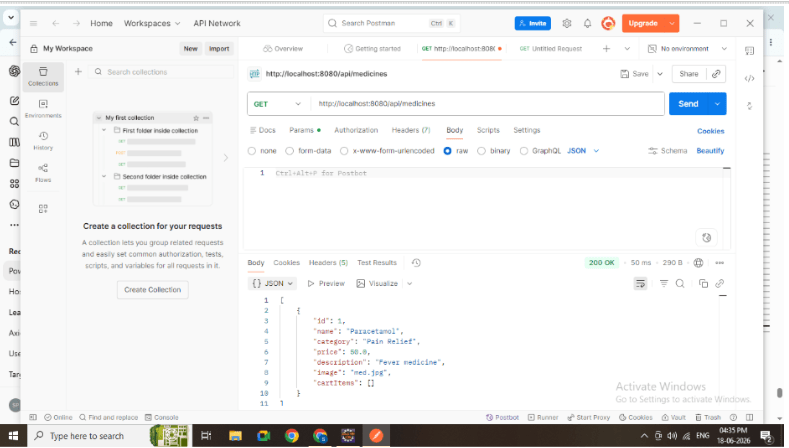
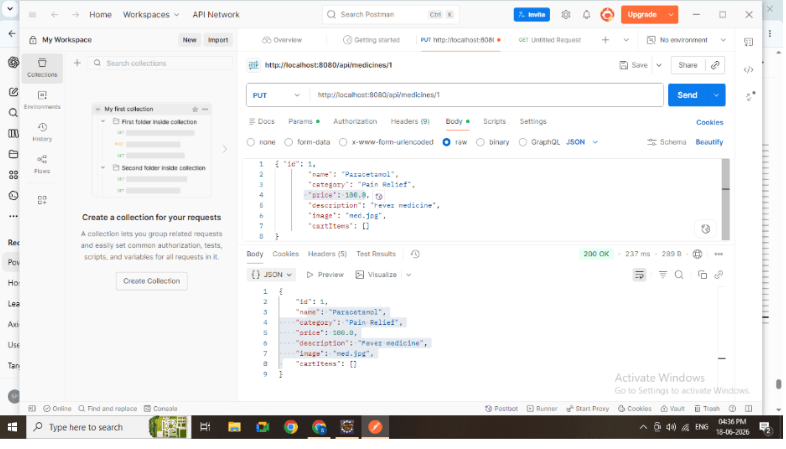
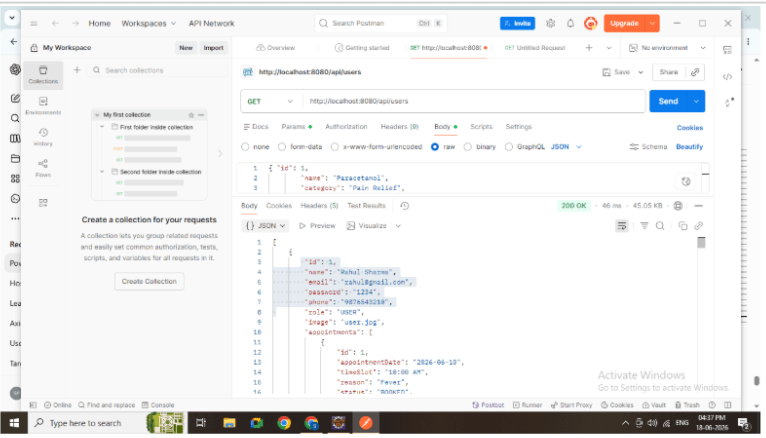
Postman responses
10
Verify Results
-
Check database tables
-
Validate filtering output
-
Confirm update operations
-
Database output
Great job!
-
Understanding service layer importance
-
Applying business logic in backend
-
Building APIs for frontend consumption
-
Implementing filtering and update features
-
Writing scalable backend modules
Checkpoint