Content ITV PRO
This is Itvedant Content department
Password Hide and Show
Business Scenario
In most modern applications like Instagram, Facebook, Gmail, and banking websites, users get an option to show or hide their password while typing. This improves user experience and reduces chances of typing mistakes.
In this lab, you will implement Login validation and a Show/Hide Password feature using JavaScript.
Pre-Lab Preparation
Topic : Before starting this lab, revise the following topics
1) JavaScript basics and DOM manipulation
2) getElementById() and event handling
3) HTML form elements and attributes (id, type, placeholder)
4) JavaScript validation using conditions (if-else)
5) Font Awesome icons usage in HTML
git pull origin branchNameGit Pull
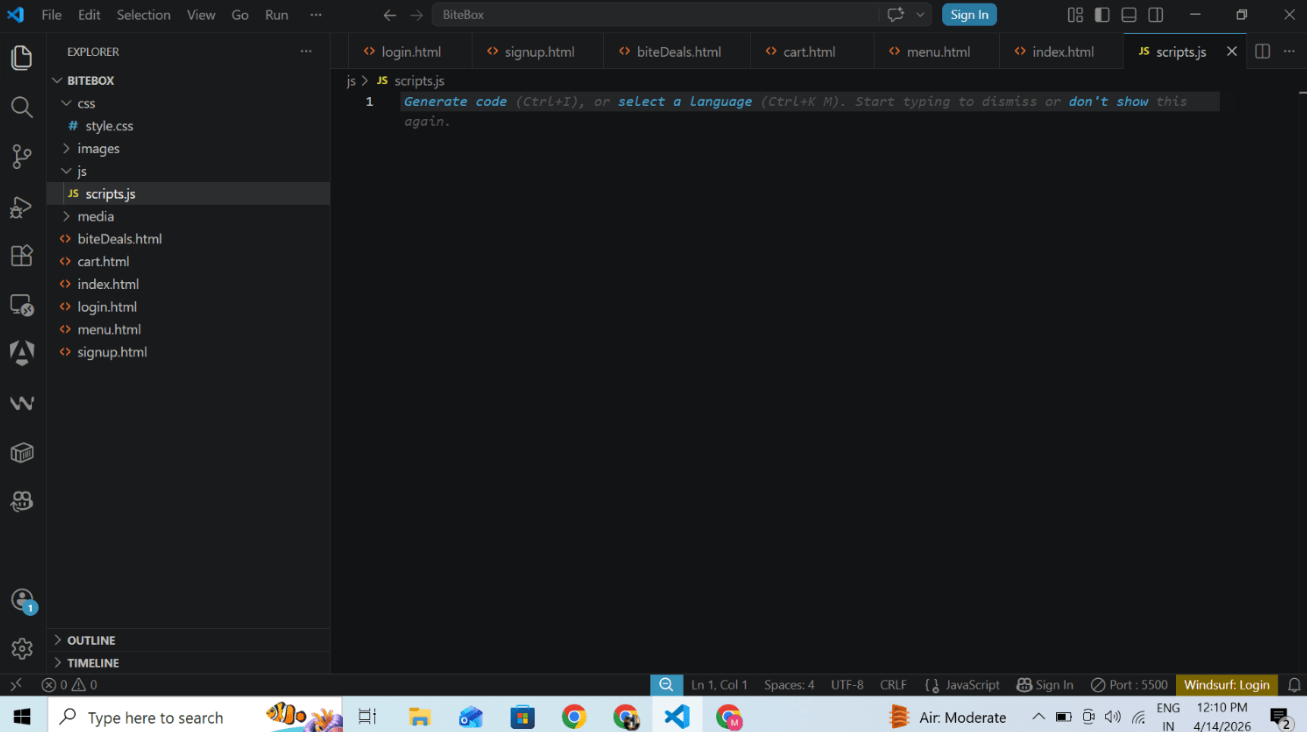
Add Javascripts file inside js folder as scripts.js
1
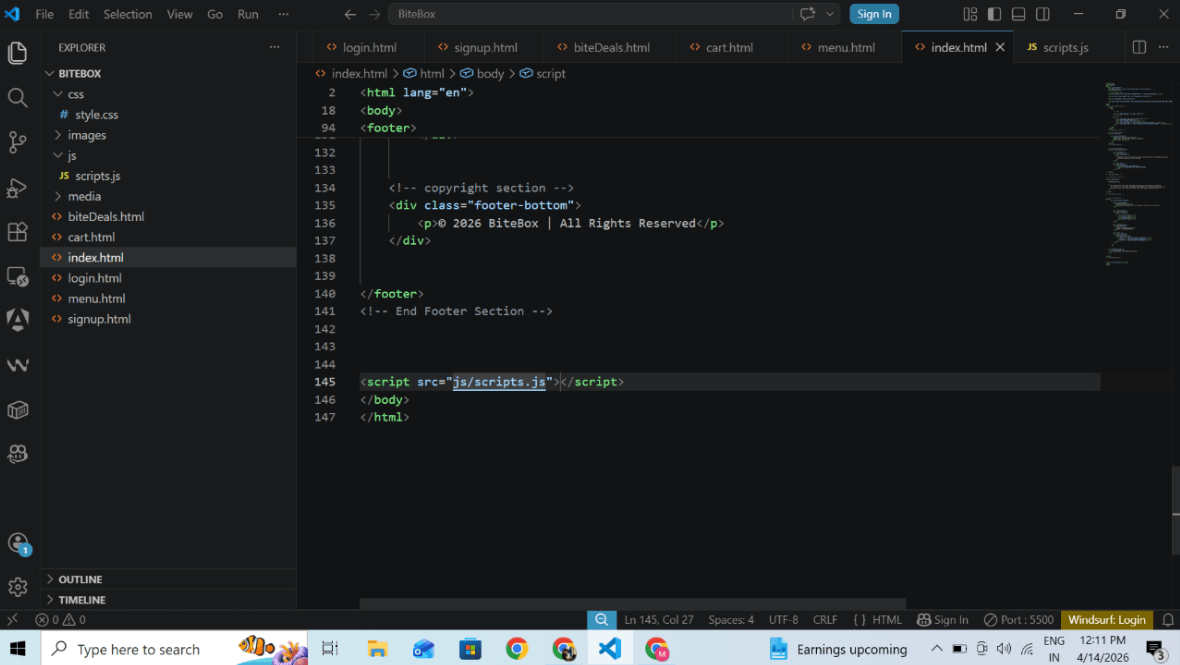
add scripts url inside all html page just above </body> closing tag where we want to add js functionality
2
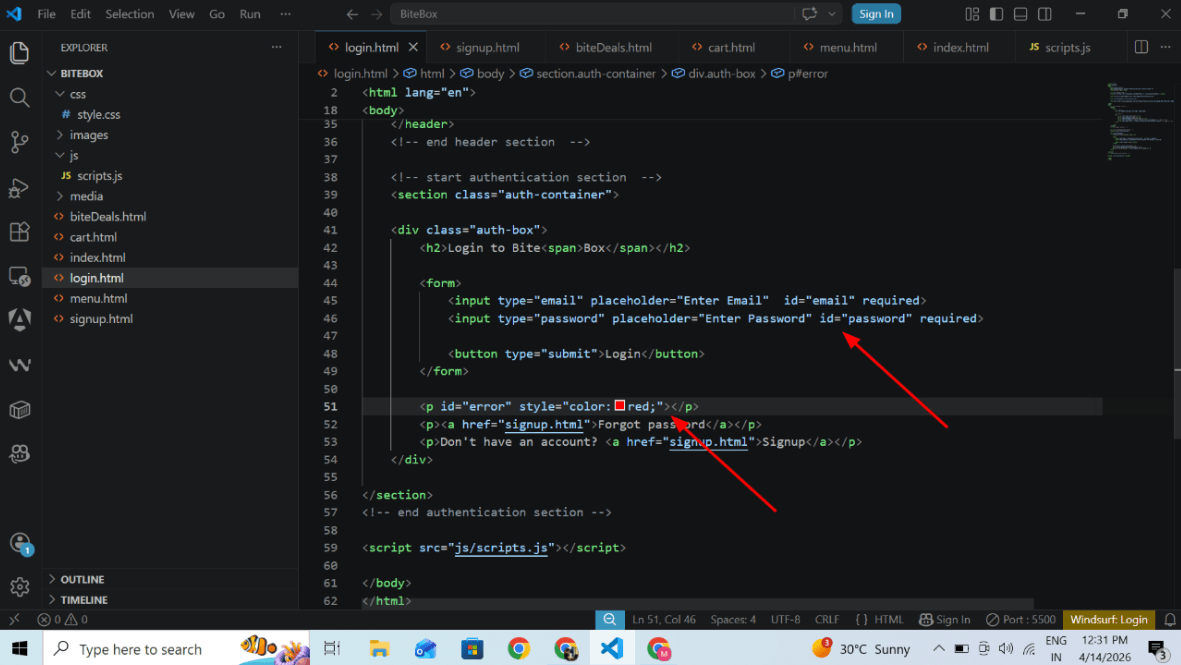
Open Login page and give id attribute with unique name to every input and add scripts file
3
add error paragraph to handle error handling
4
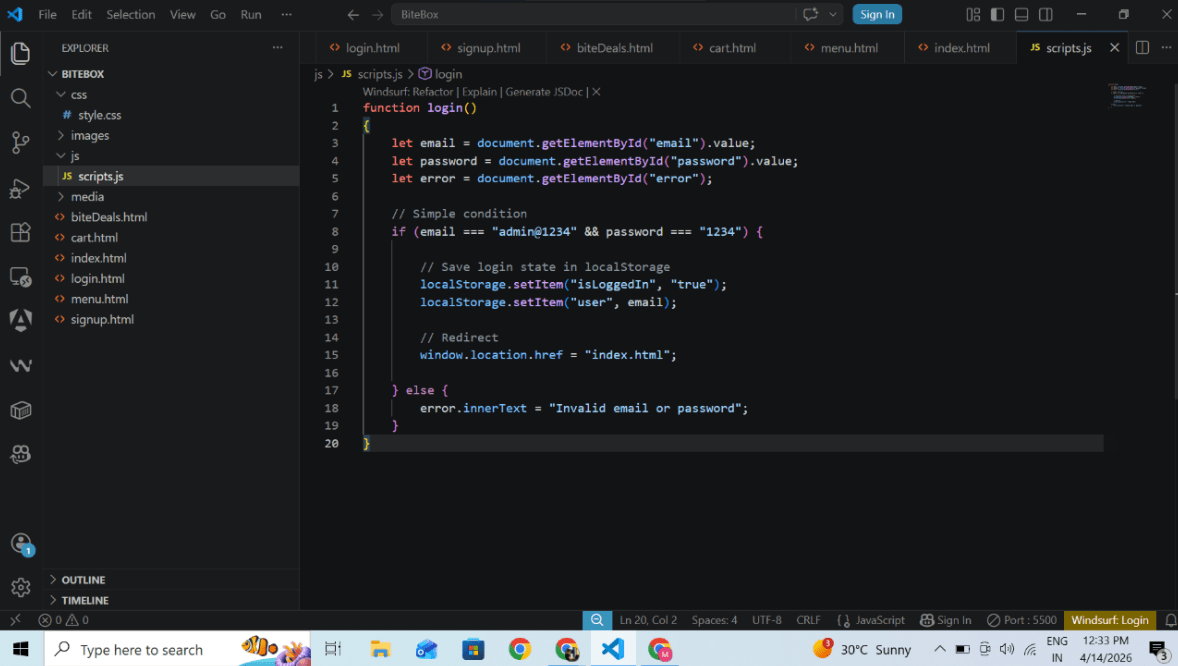
Add Login functionality in js file
5
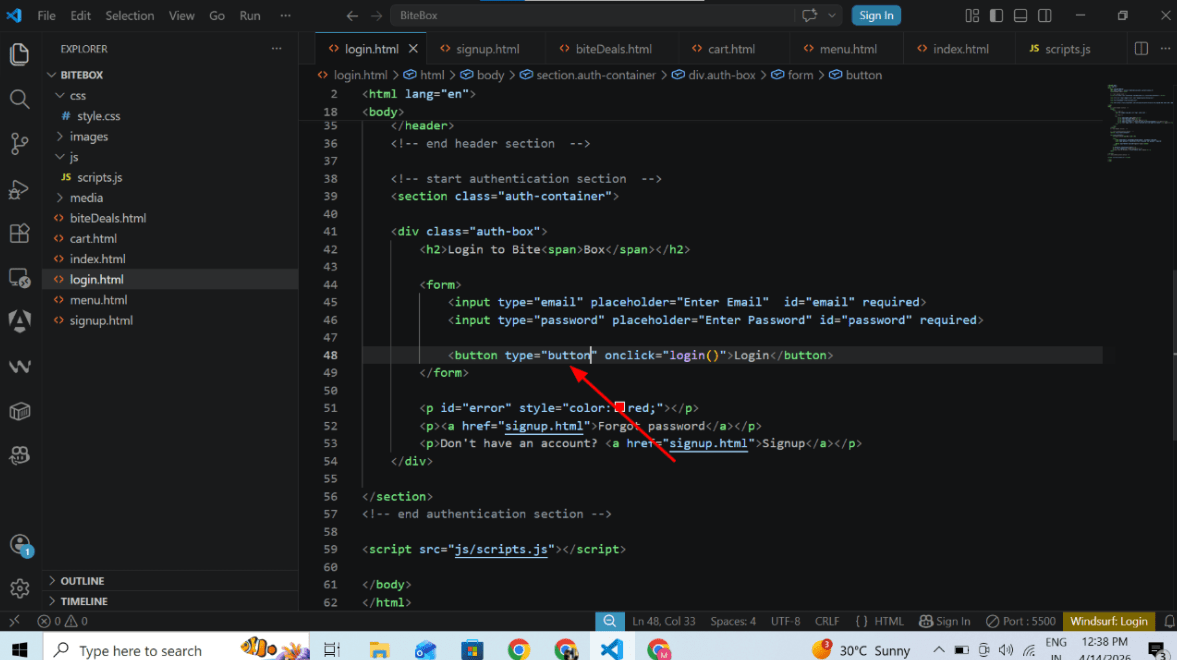
temporary change button type submit to button to prevent page reload functionality
6
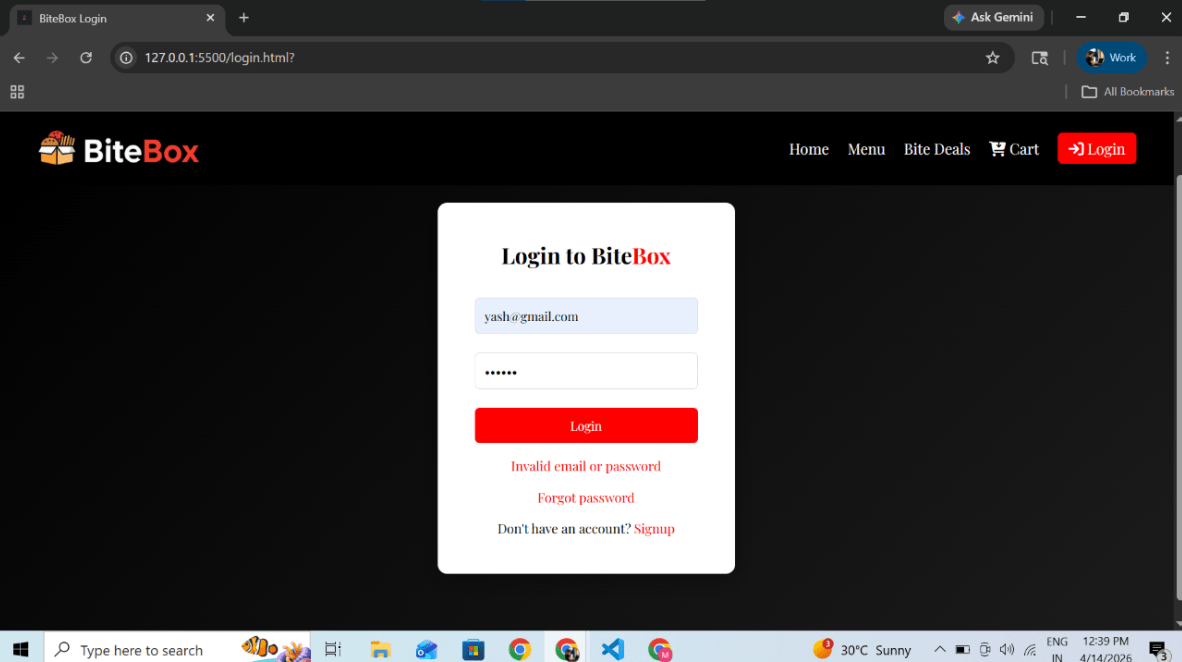
Give invalid email and password will raise error
7
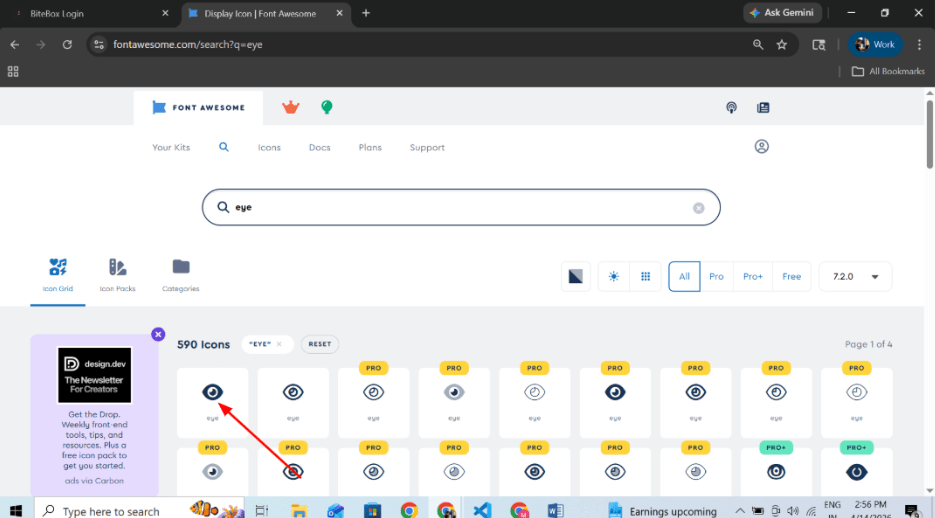
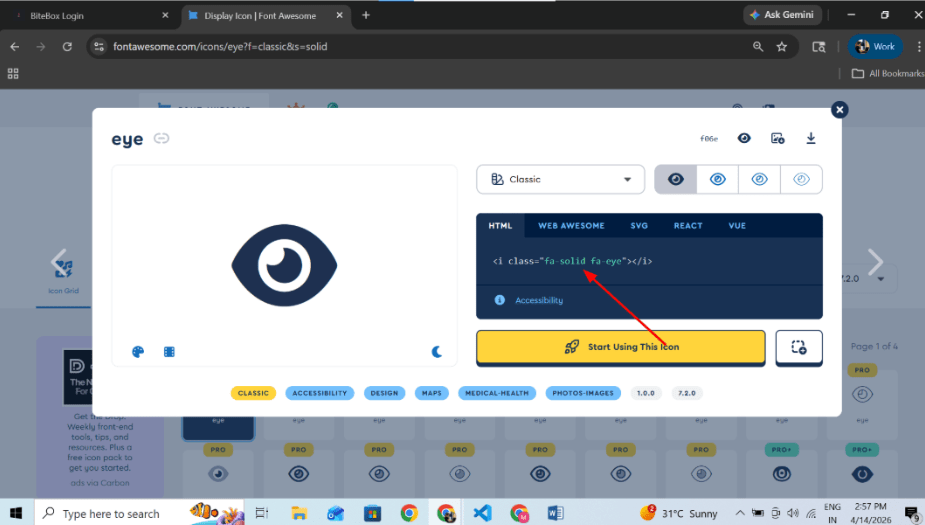
Get icon from font awesome
1
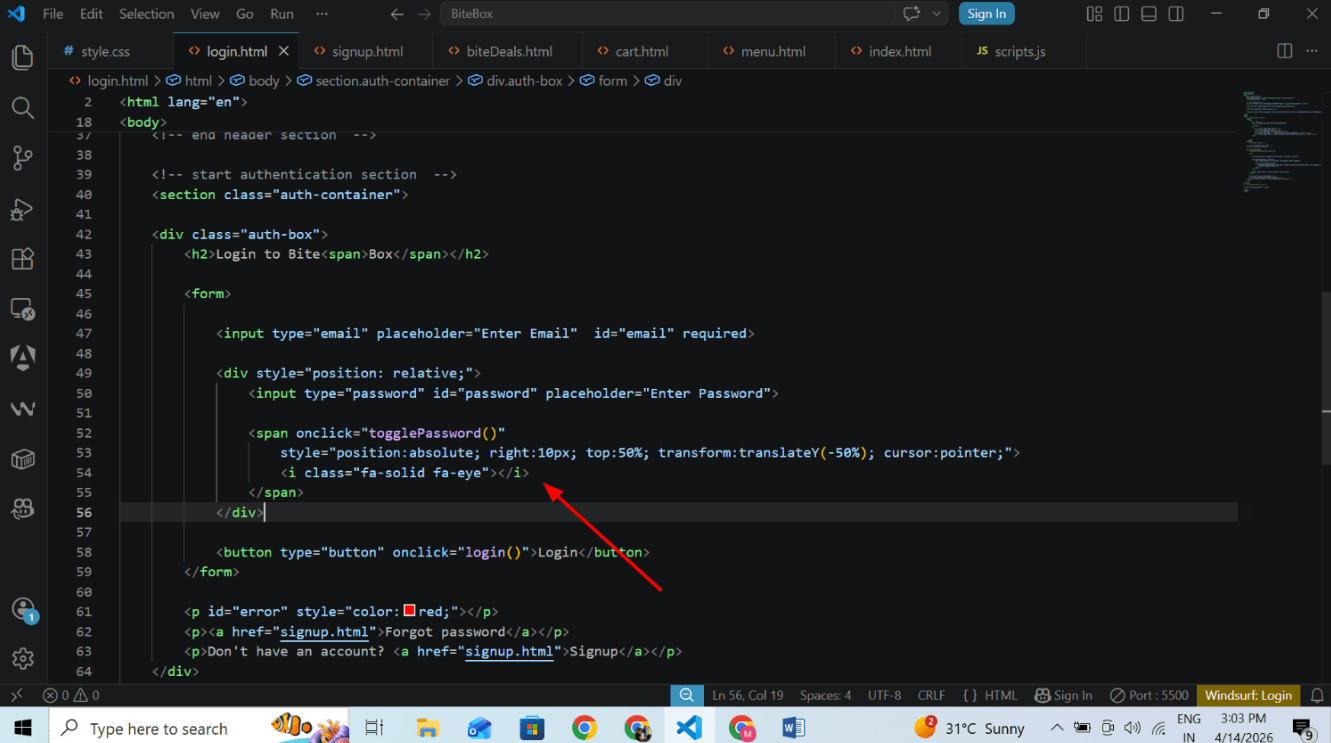
Show and Hide Password feature:
Add icon in login page
2
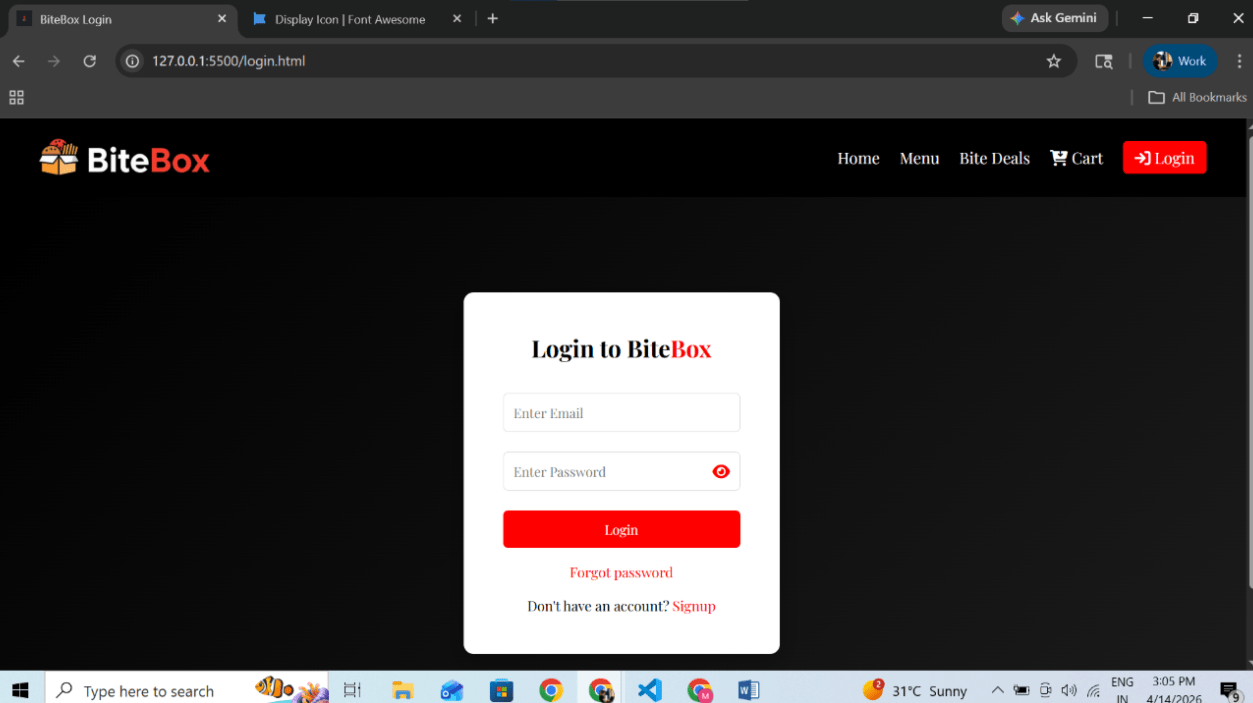
Output
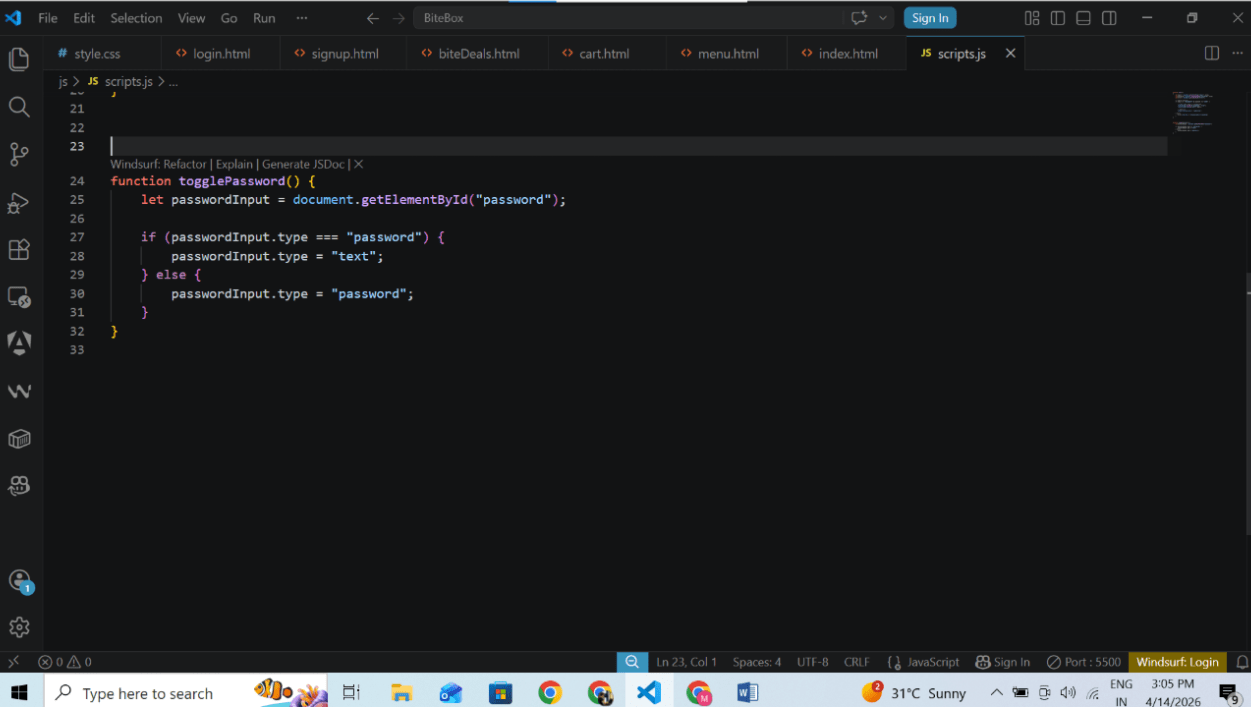
Add toggle function to show and hide feature
3
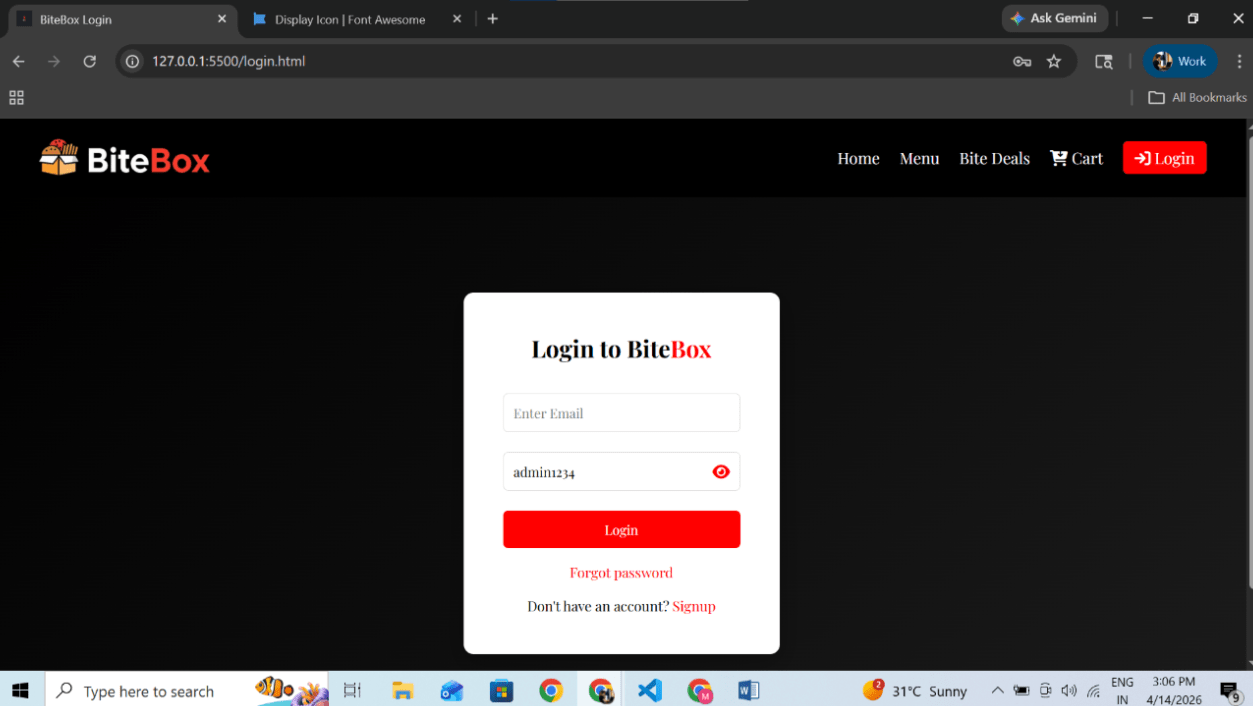
Output
Great job!
In this lab, you have successfully created Login and Signup pages using Bootstrap. You have added proper authentication sections below the header, created a new signup page, and applied styling to make the forms visually attractive.
Checkpoint
Next-Lab Preparation
Git Push
git push origin branchNameBefore starting the next lab, make sure you revise the following topics:
1) External CSS linking and stylesheet structure
2) Styling Forms and Input Fields (padding, margin, border, outline)
3) Styling Buttons (hover effects, border-radius, background-color)
By Content ITV